This review contains affiliate links. If you buy via these links, I may earn a commission at no extra cost to you. It doesn’t change what I say about the product.
Let me tell you what changed my mind about Trezor devices.
For years I defaulted to recommending Coldcard to anyone serious about Bitcoin security. Coldcard is air-gapped, Bitcoin-only, and the firmware is open source. The Trezor Model T, which I owned for about eighteen months before switching to my current setup, was a fine device — open-source, reliable, good software — but its lack of a Secure Element was a genuine architectural gap. Physical access to a Model T allowed seed extraction via voltage glitching attacks, a fact that security researchers documented publicly. I couldn’t recommend it to friends who might be in high-risk situations without that caveat.
The Trezor Safe 5 changes the calculus. SatoshiLabs added an Optiga Trust M (CC EAL6+) Secure Element while keeping the rest of the firmware open source. That combination — auditable code plus hardware-level key protection — is something no other device in this price range offers as cleanly. I’ve spent significant time with the Safe 5 at Bitcoin meetups, including running through setup with two different friends who were upgrading from a Trezor Model One and a Ledger respectively. I also reviewed the firmware source on GitHub and SatoshiLabs’s public documentation extensively. Where I’m relying on documentation rather than direct experience, I’ll say so.
Here’s my full assessment.
What’s in the box
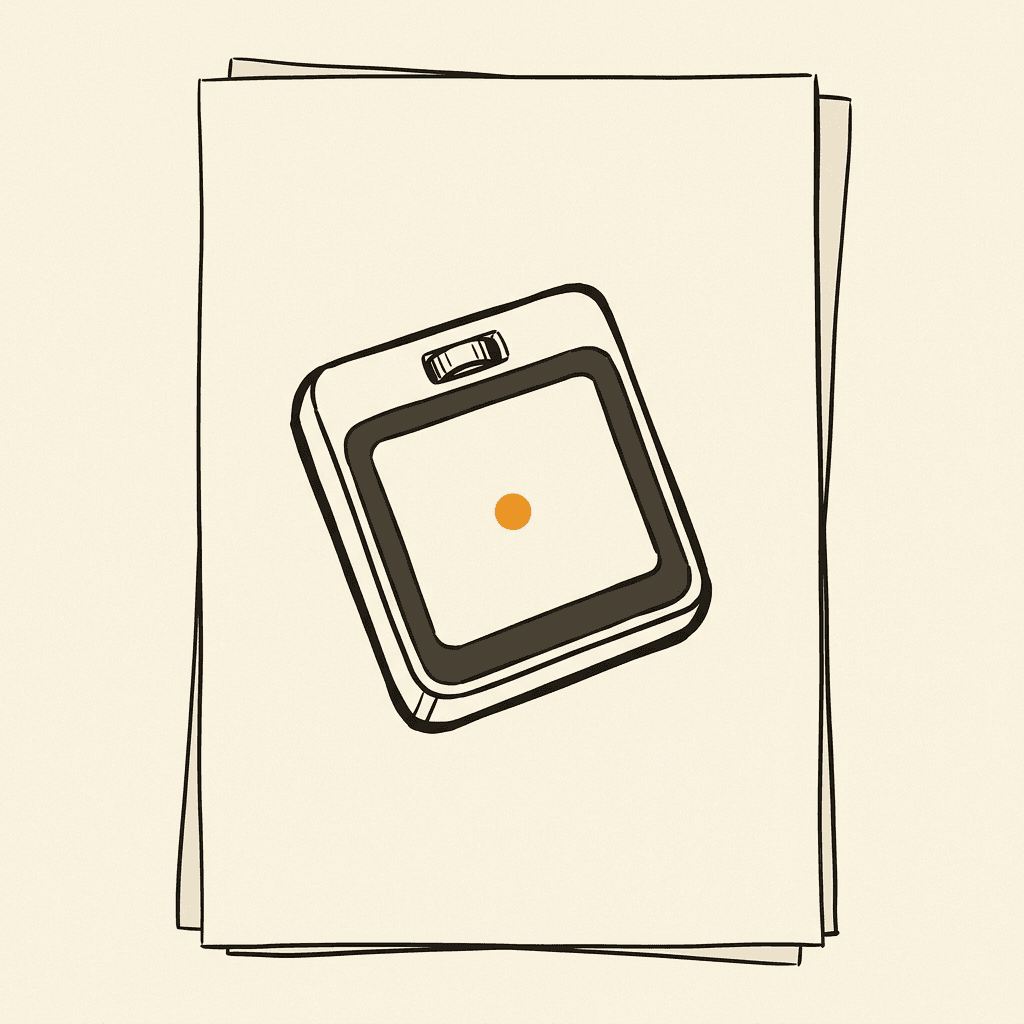
The Safe 5 ships in a compact box with the device, a USB-C cable, and seed backup cards. The packaging is understated — no glossy consumer marketing, which I appreciate. The device itself is noticeably different from previous Trezor hardware: it has a full-color 1.54-inch LCD touchscreen with haptic feedback, a magnet for attaching to compatible cases, and a slimmer profile than the older Model T. The build feels solid, though the back panel is plastic rather than aluminum. The touchscreen glass attracts fingerprints visibly, which is a minor but consistent annoyance.
One thing I noticed immediately: there’s no physical USB port exposed when the device is closed. It’s recessed in the bottom edge in a way that feels deliberate — the Safe 5 is clearly designed to be mobile-friendly without the port snagging things in your bag. Small detail, better execution than the Model T.
Setup and first-run experience
Setup happens through Trezor Suite (desktop application, available for Windows, macOS, Linux) or the Suite web interface. First run: you connect the device via USB-C, Trezor Suite detects it, and the guided flow begins.
The touchscreen makes a real difference here compared to older Trezor hardware. You navigate by tapping rather than navigating two-button menus. The haptic confirmation on each tap feels responsive and gives you confidence that the input registered — important when you’re confirming a seed word on a small screen. Seed generation produces a 12 or 24-word BIP-39 phrase (your choice), displayed one word at a time on the device screen. The backup verification quiz — where the device asks you to confirm randomly selected words from your seed — is mandatory before the setup completes, which is correct.
PIN setup allows up to 50 digits, displayed on the device screen as a randomized grid that Trezor Suite shows as blank placeholders. This anti-eavesdropping PIN design has been Trezor’s approach since the original Model One: the computer sees only which positions you tapped, not which numbers those positions correspond to, because the grid layout is only shown on the device screen. It’s a clever defense against a keylogger on the host computer.
Firmware update on first run: the Safe 5 ships without firmware installed (by design, as a supply-chain integrity measure) and installs it on first connection. This is worth noting — if you receive a device that already has firmware installed, treat that as a warning sign and contact SatoshiLabs before proceeding.
The open-source firmware: what it actually means
Trezor’s firmware is available on GitHub at github.com/trezor/trezor-firmware. This is not a symbolic gesture — the repository is the production firmware, including the bootloader, the core firmware, and the coin-specific signing logic. External security researchers have audited portions of the codebase; Kraken Security Labs performed a physical attack analysis in 2020, and SatoshiLabs responded with improvements based on that research. This is how open-source security is supposed to work.
The Secure Element addition in the Safe 5 requires some nuance here. The Optiga Trust M chip handles key storage and physical attack resistance. The firmware that runs on the main microcontroller (an STM32 ARM processor) is fully open source. The Secure Element’s own operating system is not open source — that’s inherent to the Optiga chip and is governed by Infineon’s certification terms. But the interface between the open-source firmware and the SE is documented, and the open-source code that calls the SE is auditable. This is meaningfully more transparent than Ledger’s architecture, where the OS running on the SE itself is closed.
In practical terms: a sophisticated attacker who compromised Trezor’s firmware build infrastructure would not be able to silently add seed-extraction code without it being visible in the open-source repository. With Ledger, there is no equivalent public check on the OS layer.
Trezor Suite: Bitcoin-first UX
Trezor Suite is the native companion application and it’s genuinely good — better than Ledger Live for Bitcoin-focused users, in my experience. The portfolio dashboard is clean, the send/receive flows are straightforward, and the Bitcoin-specific features are prioritized rather than buried under altcoin infrastructure.
For receiving Bitcoin: you request an address in Suite, the device displays it on screen for verification, and you confirm by tapping. The default address type has been native SegWit (bech32) for several years now, which is correct. Taproot (bech32m) is available and selectable. I tested receive flows at a meetup — the address verification step on the touchscreen is clear and easy to follow even for newcomers.
For sending: you enter the recipient address and amount in Suite, the transaction details appear on the Safe 5 screen for review (amount, fee, destination address in full), and you confirm with a tap. The fee is adjustable — Suite shows sat/vbyte and estimated confirmation time. One thing I noticed: the fee estimation in Suite tends toward the conservative side, which occasionally means overpaying slightly during quiet mempool periods. You can override manually.
Coinjoin integration is a notable feature. Trezor Suite has built-in coinjoin support using Wasabi Wallet’s backend infrastructure. This means you can improve your on-chain privacy without leaving Suite or connecting to a third-party application. The integration is opt-in and clearly labeled. I haven’t run a full coinjoin session through a Safe 5 specifically, but I’ve used the same feature on a Model T, and the UX is well-implemented — the device confirms the transaction structure on screen before signing.
PSBT support is first-class. If you want to use the Safe 5 with Sparrow Wallet, Electrum, or Specter, the workflow is: connect via USB, open the external wallet, select Trezor as your signing device. I’ve used Sparrow with a Trezor device extensively and the integration is reliable. Sparrow’s transaction inspection tools combined with Trezor’s on-screen confirmation give you a strong verification chain.
SLIP-39 Shamir Backup: the passphrase alternative
The Trezor Safe 5 supports SLIP-39 (Shamir’s Secret Sharing scheme for Bitcoin) as a backup method — and this is one of the features that distinguishes it from most competitors. I want to explain why this matters.
A standard BIP-39 seed phrase is a single point of failure. If someone finds your 24 words, they have your funds. The conventional mitigation is a BIP-39 passphrase (sometimes called a 25th word) — an additional secret that modifies the derived keys, so the seed phrase alone is insufficient. The passphrase approach works but creates its own risks: forgetting the passphrase is equivalent to losing the funds.
SLIP-39 takes a different approach. Your backup is split into multiple shares using Shamir’s Secret Sharing mathematics. A common configuration is 2-of-3: you create three shares, and any two of them are sufficient to recover the wallet. No single share reveals anything about the seed. You can give one share to a trusted family member, store one in a bank vault, and keep one at home — and a thief who steals any single share gets nothing.
This gives you meaningful fault tolerance without a custodian. The tradeoff: SLIP-39 is less universally supported than BIP-39, so recovery requires a SLIP-39-compatible device or software (Trezor hardware, or an open-source implementation like the one at iancoleman.io). For most Bitcoin holders who plan to use Trezor hardware for the foreseeable future, this is not a practical problem.
Setup of a Shamir backup happens on first run in Trezor Suite. The interface walks you through generating your chosen share configuration, displaying each share on the device screen for you to write down. The process takes more time than a standard seed backup, but the security improvement for family-inheritance and geographic distribution scenarios is significant.
No Bluetooth: the deliberate tradeoff
The Safe 5 connects via USB-C only. There is no Bluetooth, no NFC, no wireless connectivity. SatoshiLabs has been explicit about this being a deliberate security choice. Wireless attack surfaces are real — Bluetooth has a non-trivial vulnerability history, and a hardware wallet’s wireless stack is code that can theoretically be attacked remotely. By eliminating wireless connectivity entirely, Trezor eliminates that attack surface.
The practical cost: you can’t use the Safe 5 with a mobile phone without an adapter (USB-C OTG adapters work, and Trezor Suite has a limited iOS integration). If mobile signing is a primary use case, this is a real inconvenience. The Ledger Nano X’s Bluetooth support is genuinely useful if you’re signing transactions on your phone regularly.
My position: for Bitcoin signing, USB-C-only is the right security tradeoff. I’m not signing transactions on my phone. I’m signing them at my desk, carefully, with a computer I control. The Bluetooth convenience costs a wireless attack surface I don’t want.
How it compares to Ledger Nano X and Coldcard Mk4
vs. Ledger Nano X: The Safe 5 wins on firmware transparency — open-source code that anyone can audit versus Ledger’s closed OS. The Nano X wins on mobile convenience (Bluetooth) and altcoin breadth. If you hold altcoins alongside Bitcoin, the Nano X has broader coverage. If you’re Bitcoin-focused and want to be able to verify what your signing device is actually doing, the Safe 5 is the clearer choice. Neither company has suffered a firmware-level breach; Ledger’s 2020 breach was customer data, not device firmware.
vs. Coldcard Mk4: The Coldcard Mk4 is the maximum-security option — air-gapped, Bitcoin-only, dual Secure Elements, NFC and microSD for fully offline signing. The Safe 5 is more accessible. Coldcard’s UX assumes you already understand PSBTs and multisig; the Safe 5 will get a newcomer self-custodying correctly in under an hour. If you’re comfortable with a moderate learning curve and want maximum security, Coldcard. If you want the best balance of security and usability, Safe 5.
For the full three-way comparison with specs and buyer personas, see: Ledger vs Trezor vs Coldcard.
Who should buy this
Buy the Safe 5 if: You want a Bitcoin-first hardware wallet with open-source firmware you can independently verify. You value the SLIP-39 Shamir backup for inheritance planning or geographic distribution. You want a better touchscreen experience than the Coldcard or older Trezor hardware provides. You’re moving up from a software wallet and want something that’s genuinely secure without requiring expert-level knowledge.
Consider alternatives if: You need mobile Bluetooth signing (look at Ledger Nano X). You’re building a serious multisig setup with maximum air-gap requirements and already understand PSBT workflows (look at Coldcard Mk4). You’re primarily holding altcoins (look at Ledger, which has broader altcoin app coverage).
Before you buy: a genuine, untampered device is part of your security model — order from the official store, never a marketplace reseller. Two things worth reading first: the truth about “Trezor discount codes” (they’re bait, and here’s how the fake-coupon sites actually work), and — if you’re buying from Thailand — how to get a genuine Trezor and dodge the pre-seeded marketplace fakes.
Verdict
The Trezor Safe 5 is the hardware wallet I recommend to most people who are serious about Bitcoin self-custody. Open-source firmware is not a marginal advantage — it’s fundamental to the “don’t trust, verify” principle that this site is built on. The Safe 5 is the first Trezor to pair open-source auditability with hardware-level key protection in the Secure Element. That combination matters.
The fingerprint-prone screen and premium price are real negatives. The lack of Bluetooth is a deliberate choice I agree with for security reasons, but I understand it’s a dealbreaker for some use cases. On balance, though, the Safe 5 earns its 4.5 rating: it delivers on the things that matter most — verifiable firmware, strong cryptographic implementation, good Bitcoin-first software, and a backup scheme that genuinely helps with inheritance and geographic distribution.
If your starting point is “I want to know that the device doing my signing is doing exactly what it says,” the Safe 5 is the answer to that question.
Note on the Trezor Safe 7
Trezor released the Safe 7 in 2026 at $249 — a meaningful upgrade in three places: a second secure element (the Safe 7 has dual EAL6+ SEs vs the Safe 5’s single), Bluetooth + iOS signing as an option, and a fingerprint sensor. For users who specifically wanted iOS / Bluetooth signing or who want the maximum-security dual-SE design, the Safe 7 is now the right Trezor — at the $80 premium and with the wireless attack surface that comes with Bluetooth as a trade-off.
The Safe 5 remains the right pick if you specifically don’t want a wireless attack surface on the device that holds your keys, value the lower price, or care about open-source firmware as the dominant signal over hardware redundancy. Both run the same firmware family, the same Bitcoin-only option, and Trezor Suite treats them identically — what you’re choosing between is the hardware-redundancy + wireless trade-off, not the broader self-custody experience.
The full Safe 7 review is here if that’s the direction you’re leaning — or compare them directly, spec by spec: Trezor Safe 5 vs Safe 7.
Sources:
- Trezor Safe 5 firmware source: github.com/trezor/trezor-firmware
- SLIP-39 specification: github.com/satoshilabs/slips/blob/master/slip-0039.md
- Kraken Security Labs Model T attack research (2020): blog.kraken.com/post/5590/kraken-identifies-critical-flaw-in-trezor-hardware-wallets/
- Optiga Trust M (Infineon) product page and CC EAL6+ certification
- Trezor Suite coinjoin documentation: trezor.io/learn/a/coinjoin-in-trezor-suite
- Sparrow Wallet Trezor integration: sparrowwallet.com/docs/hardware-wallets.html