
This review contains affiliate links. If you buy via these links, I may earn a commission at no extra cost to you. It doesn’t change what I say about the product.
I want to be upfront about my experience with the Coldcard Mk4 specifically: I’ve spent several hours with it at a Bitcoin meetup where a member was running demo sessions on the firmware v6.x release, and I’ve reviewed this device extensively through Coinkite’s public documentation, the open-source firmware repository on GitHub, and Bitcoin community resources including the work at btcguide.github.io. My primary signing device is a Coldcard Mk3, which I’ve used daily since 2021. The Mk4 is the successor, and most of what I know about the Mk3 workflow translates directly — but I’ll note where I’m working from documentation rather than months of personal Mk4 use.
That said: the Coldcard is the device the serious Bitcoin security community converges on. When you ask people running multisig setups what they use, you hear Coldcard more than anything else. When you ask Bitcoin security researchers what they’d use for cold storage of a significant amount, you hear Coldcard. That reputation is earned, and this review will explain why.
Bitcoin-only by design
The most important thing about the Coldcard is the thing that sounds like a limitation: it supports only Bitcoin. No Ethereum app. No Solana app. No altcoin firmware paths of any kind.
For some people this is a dealbreaker. For me, it’s the feature.
Here’s why it matters. Every additional coin a hardware wallet supports adds firmware complexity — more code paths, more parsing logic for transaction formats, more potential attack surface. The Ledger Nano X, which supports thousands of assets, has a substantially larger firmware codebase than a device that only needs to handle Bitcoin. More code means more things that can go wrong, more surface area for vulnerabilities to hide, and more opportunity for complex interactions between subsystems.
The Coldcard’s firmware does one thing and optimizes hard for it. The Bitcoin signing code is tight, well-reviewed, and doesn’t share architectural space with code for other assets. For someone whose threat model includes state-level adversaries or sophisticated attackers, this matters. For someone who holds Bitcoin alongside altcoins, the Coldcard is simply the wrong tool.
I’m Bitcoin-only. I’ve been Bitcoin-only since 2019. The Coldcard is designed for me.
Hardware overview: the chunky industrial look
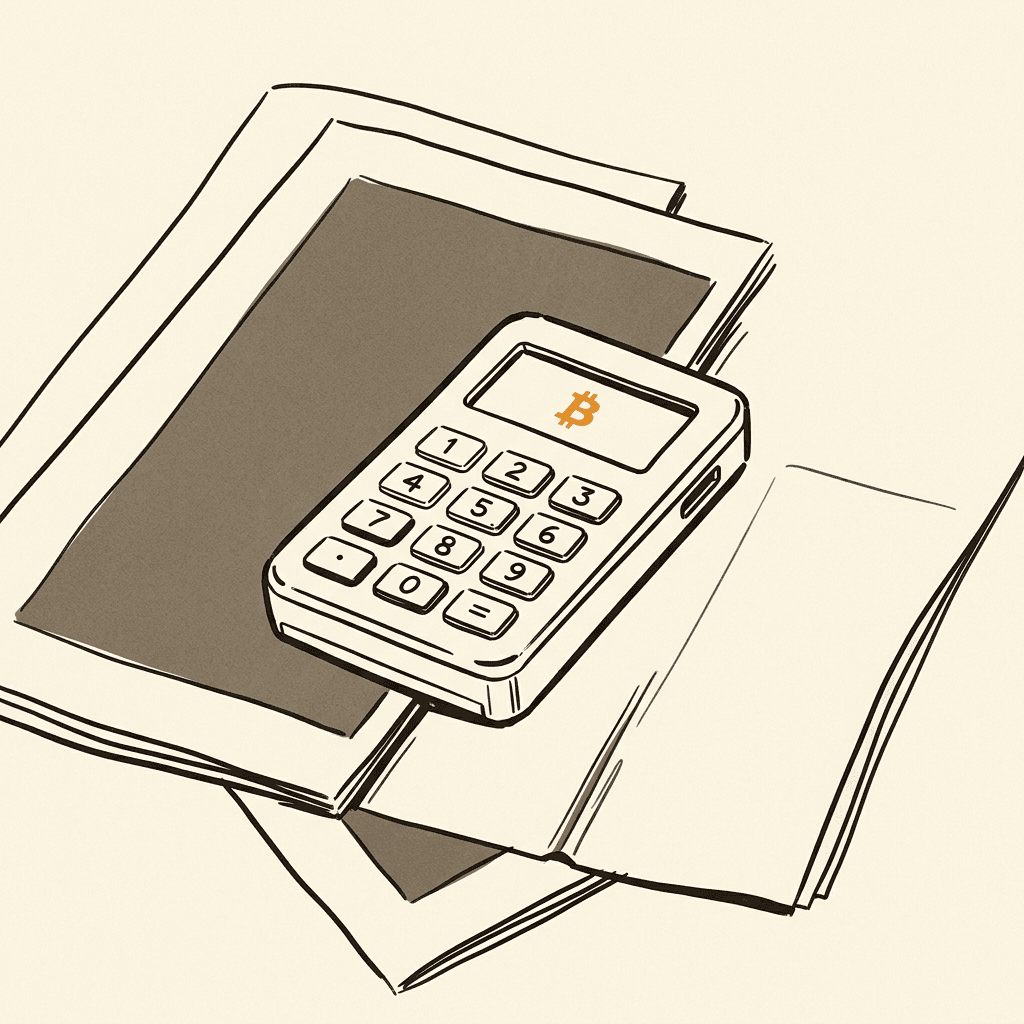
The Mk4 is not a beautiful device. It’s a plastic brick, roughly 88mm x 52mm x 9mm, with a 128x64 monochrome OLED display and a numeric keypad. It feels more like industrial test equipment than consumer electronics. The metal-reinforced case and the Coinkite branding are functional rather than elegant.
I say this not as a criticism but as a description. The Coldcard’s aesthetic choices reflect priorities: the device is designed to be tamper-evident, easily inspected, and robust, not to look good on a desk. The case has numbered security bags and shows any physical intrusion clearly because the plastic will craze if the case is forced. The keypad has a travel and click that makes accidental inputs unlikely.
The Mk4 added NFC (near-field communication) support alongside the existing microSD card slot. These are the two primary air-gap communication channels. You can pass PSBTs to and from the device via a microSD card inserted in a card reader on your computer, or via NFC tap with a compatible wallet on your phone. USB is also available for connected operation, but many users — including me, following the Coldcard best-practice guidance — prefer to use it exclusively air-gapped.
One hardware note: the Mk4 has a USB-C port and a microSD slot on opposite edges of the device, with a small security light (the “green/red” LED) that indicates whether the device is in a trusted state. Small things that matter.
Dual Secure Elements: the security architecture
The Coldcard Mk4 uses two Secure Elements: an ATECC608B and an ATECC608A, both from Microchip Technology. Using two independent Secure Elements from the same manufacturer family but different die revisions is a notable design choice. Here’s the reasoning Coinkite has given publicly:
The main microcontroller (a Nordic nRF5340 in the Mk4, upgraded from the Mk3’s STM32) runs the open-source firmware. The two Secure Elements serve as independent authenticators that must both confirm that the running firmware matches the expected hash before the device will operate normally. An attacker who compromises the main MCU firmware cannot simply extract keys — both SEs must validate the firmware signature. A supply-chain attack that modifies the MCU firmware would be caught by the SE validation step at boot.
This architecture provides defense-in-depth: the open-source firmware is verifiable by anyone, and the hardware-level checks provide an additional layer of assurance that the device you’re running is the device that was manufactured with the correct code.
The firmware is open source: github.com/Coldcard/firmware. The repository includes the bootloader and the main firmware. Independent security researchers have audited portions of this code. The transparency here is meaningful — unlike Ledger’s closed OS, there is no black box in the Coldcard firmware stack.
The air-gapped workflow
This is where the Coldcard earns its reputation among serious users. The recommended workflow for maximum security:
- The Coldcard never touches the internet. Ever.
- Your watch-only wallet (Sparrow, Electrum, Specter) runs on a connected computer and handles address generation, transaction construction, and UTXO tracking — but holds no private keys.
- When you want to send Bitcoin, your watch-only wallet constructs a PSBT (Partially Signed Bitcoin Transaction) — essentially a transaction proposal with all the relevant input and output information but without any signatures.
- You copy the PSBT to a microSD card (or send it via NFC tap to the Coldcard).
- You review the transaction on the Coldcard’s screen: amount, recipient address in full, fee. You confirm by entering your PIN.
- The Coldcard signs the PSBT and writes the signed transaction back to the microSD card.
- You bring the microSD back to your connected computer, load the signed transaction into Sparrow/Electrum, and broadcast.
This workflow means the device with your private keys never touches a network connection. An attacker who compromises your connected computer cannot steal your keys because the keys are physically separate on a device with no wireless interface. This is genuine air-gap security.
The NFC option added in the Mk4 allows a variation: instead of transferring files via microSD, you can tap the Coldcard to a compatible phone running a wallet like Nunchuk. The NFC channel is one-directional for signing — the phone sends the PSBT, the Coldcard signs it, and you get it back via NFC. NFC operates at very close range (centimeters), which limits wireless interception risk compared to Bluetooth’s meter-scale range.
For maximum paranoia — which is a reasonable stance for significant amounts of Bitcoin — the microSD workflow remains the gold standard. There is no wireless communication at all, the transaction data moves on a physical card, and inspection at each step is straightforward.
PSBT signing with Sparrow, Electrum, and Specter
I’ve used Sparrow Wallet with a Coldcard Mk3 for most of 2022-2025, and the integration is excellent. Setting up a Coldcard as a signing device in Sparrow involves:
- On the Coldcard: navigate to Advanced > MicroSD > Export Wallet > Generic JSON (or Sparrow-specific format) to write your xpub and derivation path to the microSD.
- In Sparrow: File > Import Wallet > Coldcard Multisig or Coldcard SingleSig, load the file from the microSD.
- Sparrow creates a watch-only wallet from your Coldcard’s public key data.
From that point, you can track your UTXOs, generate receive addresses (always verify on the Coldcard screen for receives), and build transactions in Sparrow. Sending involves building the transaction in Sparrow, exporting the PSBT to microSD, signing on the Coldcard, and importing the signed transaction back to Sparrow for broadcast. Once you’ve done this ten times it’s second nature; the first few times there’s a learning curve.
Electrum works similarly with the Electrum Coldcard plugin. Specter Desktop has dedicated Coldcard support. Nunchuk provides mobile signing via NFC for users who want a phone-based workflow while maintaining air-gap signing.
Multisig: the Coldcard’s strongest use case
For multisig Bitcoin custody — particularly 2-of-3 or 3-of-5 configurations — the Coldcard is arguably the best device in the market. Multisig on the Coldcard involves:
- Each signing device exports its xpub/derivation path
- A coordinator (Sparrow or Specter) creates the multisig wallet descriptor using all participants’ xpubs
- The wallet descriptor is imported to each Coldcard so the device understands the full multisig policy
- Transaction signing requires M of N devices to sign in sequence, each adding their signature to the PSBT file
The Coldcard handles multisig transaction display correctly — it shows the full output policy and the specific amount being signed. It verifies that the output addresses are consistent with the wallet descriptor you’ve configured. This protects against output substitution attacks, where a malicious coordinator tries to replace recipient addresses.
For anyone running a geographically distributed multisig setup — one Coldcard at home, one in a safety deposit box in another city, one with a trusted family member in a third location — the Coldcard’s PSBT workflow and microSD transport make this genuinely practical. There’s no shared connectivity required between signing devices.
Duress PIN, BIP-85, and BIP-39 passphrase
Three features worth highlighting for serious users:
Duress PIN: You can configure a second PIN that, when entered, opens a separate wallet — one with a small amount of Bitcoin you’re comfortable losing. If someone puts a gun to your head and demands your PIN, you give them the duress PIN. They see a real wallet with some funds; your primary wallet remains protected. This is the hardware-level implementation of the advice “keep some money visible.”
BIP-85: A Coldcard feature that generates child seeds deterministically from your master seed. Practical use: you can create a separate, cryptographically distinct seed for a secondary device or specific use case without managing a second physical seed backup. The child seed is derived reproducibly whenever you need it, but it’s functionally independent from the perspective of any attacker who only has the child seed.
BIP-39 passphrase: Standard 25th-word support. Enter a passphrase on the Coldcard, and it derives a completely separate wallet. The passphrase isn’t stored on the device — you must enter it each time. An attacker with physical access to your Coldcard and your seed phrase still cannot access your funds without the passphrase.
These three features together give you meaningful defense layers: duress protection for physical threats, BIP-85 for clean secondary-device workflows, and passphrase for an additional cryptographic secret that isn’t stored anywhere.
Supply-chain verification
Coinkite ships Coldcards in numbered holographic bags. When you receive the device, the bag’s serial number appears on Coinkite’s website for you to verify. The firmware loads a specific check at boot that confirms the device’s internal attestation keys haven’t been altered. Coinkite has published guidance on how to verify the firmware you’re running against the published source using deterministic builds — meaning you can compile the open-source firmware yourself and confirm that the hash matches what’s on the device.
This is a more complete supply-chain verification story than most hardware wallets offer. Ledger’s Genuine Check attestation relies on trusting Ledger’s attestation server infrastructure. Coldcard’s verification is anchored in the open-source code and the dual Secure Element boot check — third parties can reproduce the expected firmware hash without depending on Coldcard’s servers.
Who should buy this — and who shouldn’t
Buy the Coldcard Mk4 if: You’re Bitcoin-only. You want genuine air-gap signing with microSD or NFC. You’re setting up a multisig arrangement and need the best multisig UX in the hardware wallet market. You’re comfortable learning PSBT workflows and using external software (Sparrow, Sparrow, Sparrow — seriously, use Sparrow). You have a threat model that includes physical security concerns and want duress protection. You’ve read enough Bitcoin security content to know what BIP-39, PSBT, and xpub mean.
Don’t buy the Coldcard Mk4 if: You’re new to Bitcoin and want to start self-custodying as quickly as possible with minimal friction. The Coldcard’s onboarding experience is not designed for newcomers, and the number of settings and concepts involved will overwhelm someone who isn’t already familiar with the fundamentals. Start with the Trezor Safe 5, get comfortable with hardware wallet basics, then consider upgrading. You hold altcoins — the Coldcard doesn’t support them and has no plans to add them. This is a feature, not a limitation, but if you need altcoin support, look elsewhere.
Don’t buy the Coldcard Mk4 if: You want a mobile-first workflow. The microSD/NFC signing workflow is designed for deliberate, desk-based signing. It’s not appropriate for signing transactions quickly on your phone at a coffee shop. For mobile Lightning use, you need a separate setup.
Coldcard vs. the alternatives
vs. Trezor Safe 5: The Trezor Safe 5 is more accessible — better onboarding, nicer screen, Shamir backup, open-source firmware. The Coldcard wins on air-gap purity, Bitcoin-only attack surface, and multisig UX. Both have open-source firmware. Choose Trezor if you’re balancing security and usability; choose Coldcard if you’re optimizing hard for security.
vs. Ledger Nano X: The Ledger Nano X wins on mobile convenience and altcoin coverage. The Coldcard wins on everything else: open firmware, air-gap, Bitcoin-only, multisig, supply-chain verification. For a Bitcoin-only serious holder, the Coldcard is clearly stronger.
See also: Ledger vs Trezor vs Coldcard comparison for a full side-by-side breakdown.
Verdict
The Coldcard Mk4 earns its 4.8 rating. The 0.2 deduction is for the steep learning curve and the industrial UX that will genuinely put off newcomers — and that’s intentional feedback to Coinkite, whose device would be even better with improved onboarding for motivated self-starters who don’t come from a technical background.
But for the user it’s designed for — the Bitcoin-only holder who understands PSBTs, wants genuine air-gap security, runs Sparrow or Electrum, and is thinking seriously about multisig and inheritance — it’s the best hardware wallet available. The dual Secure Elements, open-source firmware, Bitcoin-only firmware scope, and the full suite of advanced features (BIP-85, duress PIN, PSBT-native multisig) combine into a device that takes security seriously at every layer.
“Don’t trust, verify” is a Bitcoin phrase. The Coldcard is the hardware wallet that takes it most literally.
Sources:
- Coldcard Mk4 firmware source: github.com/Coldcard/firmware
- Coinkite security documentation: coldcard.com/docs/security
- Coldcard Mk4 hardware specs: coldcard.com/docs/hardware
- BIP-85 specification: github.com/bitcoin/bips/blob/master/bip-0085.mediawiki
- PSBT specification (BIP-174): github.com/bitcoin/bips/blob/master/bip-0174.mediawiki
- Sparrow Wallet Coldcard guide: sparrowwallet.com/docs/coldcard-wallet.html
- Bitcoin multisig guide: btcguide.github.io